
This security measure could frustrating when you connect and disconnect a lot to the same (or many) terminal server. To get rid of it and to be able to use saved credentials in this situation you need to configure the following:
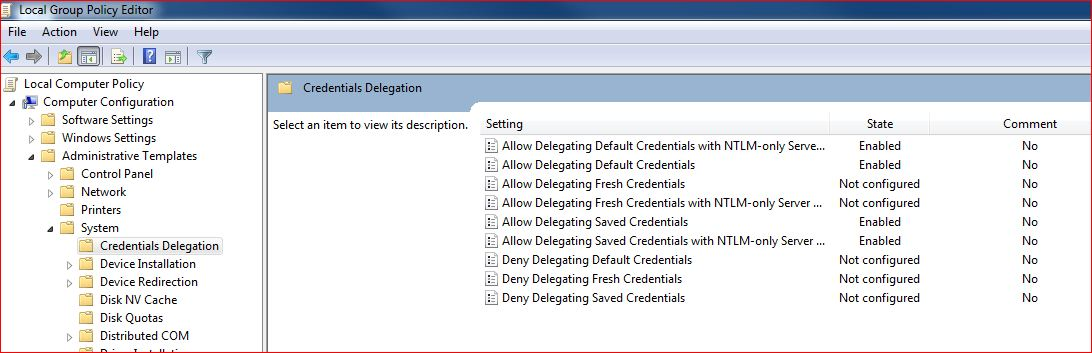
Go to Start -> type: gpedit.msc -> in the console configure the following:
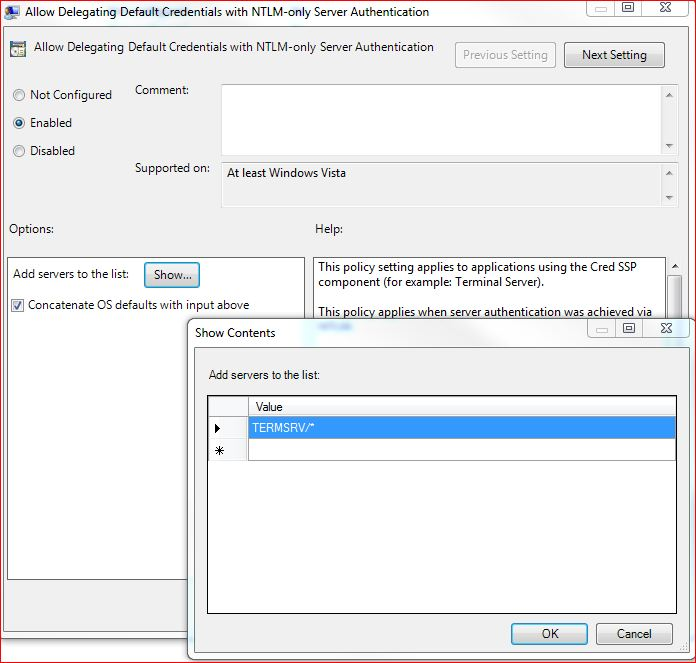
Enable the each shown policy and then click on the “Show” button to get to the server list and add TERMSRV/* (or alternatively just *) to the server. In my case it’s ‘*’ which indicates that cached credentials will be allowed to all servers.
The last thing to do is refreshing policy. To do that just go to command line (run as administrator) and type: gpupdate /force